


No WiFi, No Power? How to Secure a Construction Site with a 4G LTE Camera
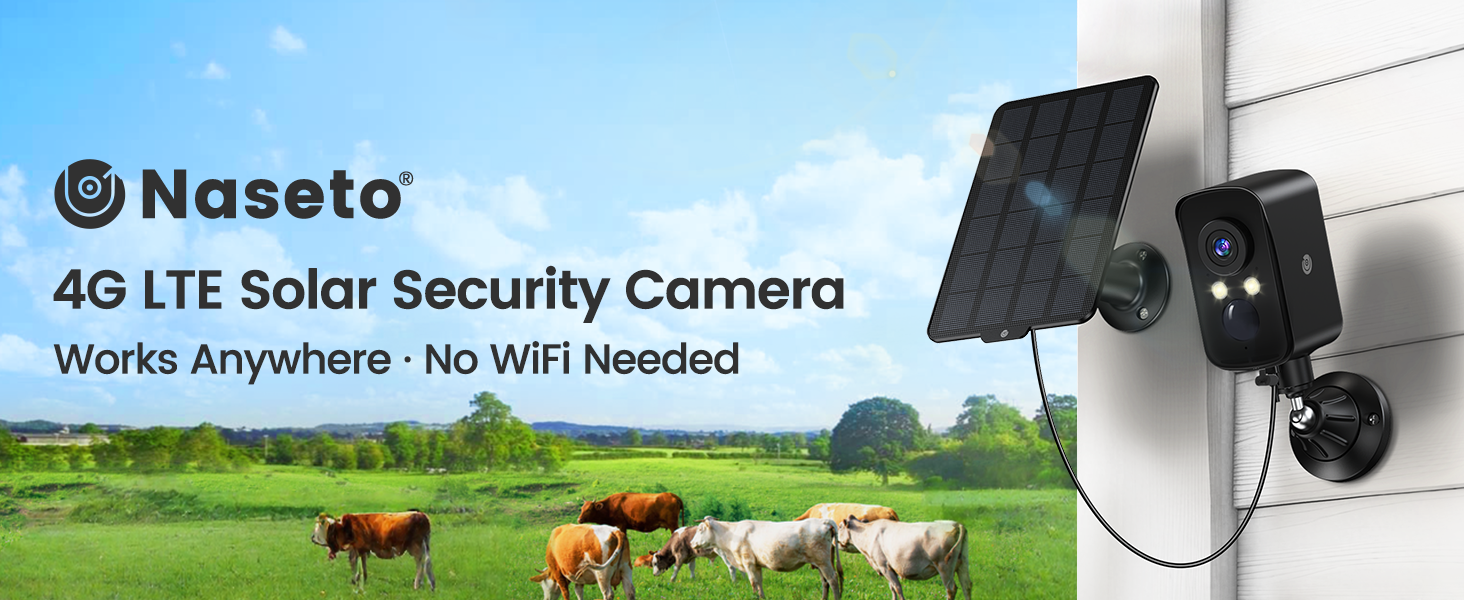
Construction sites can contain thousands of dollars in tools, machinery, cables, fixtures, and building materials before permanent WiFi or electricity is available. A construction site security camera without WiFi provides a flexible way to monitor the jobsite, receive alerts, and check activity remotely through a cellular network.
Why Unfinished Jobsites Are Easy Targets
A finished property may have locked doors, lighting, internet service, and an established alarm system. An active construction site often has none of these protections. Temporary fencing, unfinished walls, multiple access points, and changing groups of workers can make the location difficult to secure.
Valuable equipment may also remain unattended overnight or during weekends. Power tools, generators, copper wire, lumber, appliances, and fuel can be attractive targets because they are easy to remove and resell.
A cellular camera does not eliminate every jobsite risk, but it can improve visibility by providing motion alerts, live video, recorded event evidence, two-way communication, and a remote siren—even when conventional WiFi is unavailable.
Seven Security Gaps That Can Cost a Contractor Time and Money
Tools Left Overnight
Portable power tools and equipment can disappear quickly from unlocked or partially enclosed work areas.
Uncontrolled Entry Points
Temporary gates, driveways, scaffolding, and unfinished openings may create several ways to enter the property.
After-Hours Trespassing
Vacant structures can attract trespassers, vandals, or people looking for unprotected materials.
Material Deliveries
Unattended deliveries may be misplaced, damaged, or removed before the responsible worker arrives.
No Permanent Internet
WiFi-based cameras may not work during early construction or at temporary and remote jobsites.
Limited Electrical Power
Wired cameras become impractical when outlets have not been installed or temporary power is switched off overnight.
Changing Work Zones
As construction progresses, equipment and valuable materials move to different sections of the site.
No Router Required: How Cellular Jobsite Monitoring Works
A cellular security camera communicates through a 4G LTE network instead of a local WiFi router. Motion alerts, live video, audio, recordings, and camera controls are transmitted between the installation location and the mobile app through cellular service.
The MUBVIEW G6 comes with a built-in SIM that connects through supported AT&T, Verizon, or T-Mobile coverage in the United States. It is a 4G LTE-only model and does not support WiFi.
From the mobile app, an authorized user can:
- Check live 2K video without traveling to the jobsite
- Receive motion alerts when human activity is detected
- Pan the camera remotely to inspect a wider area
- Speak with workers, visitors, or delivery drivers
- Activate the built-in siren when necessary
- Review motion-triggered recordings
- Share camera access with trusted team members
Coverage comes first: A cellular security camera still requires a reliable 4G LTE signal. Test the camera at the exact installation point before relying on it for remote jobsite monitoring.
Built for Temporary Locations: What Makes the G6 Practical?
4G LTE Independence
The camera works without a jobsite WiFi network, making it suitable for unfinished properties, remote lots, temporary storage areas, and early-stage projects.
Solar-Assisted Power
A 5W solar panel helps maintain the 9000 mAh rechargeable battery when adequate direct sunlight is available.
Broader App-Controlled View
The 300° horizontal pan function lets users inspect different directions and achieve broader 360° coverage around entrances and equipment zones.
2K Day and Night Detail
View the site in 2K resolution and choose infrared or spotlight-assisted color monitoring after dark.
AI Person Detection
PIR sensing and AI person detection help focus alerts on human activity and reduce common notifications caused by ordinary outdoor movement.
Fast Magnetic Installation
The magnetic mount enables quick setup on a suitable stable metal surface, while the included bracket supports a more permanent wall or roof installation.
From Entrance Gate to Equipment Yard: Where Should You Place It?
| Installation Area | What the Camera Can Help Monitor |
|---|---|
| Main entrance or temporary gate | Vehicles, visitors, workers and after-hours entry |
| Tool storage area | Activity around portable tools and locked containers |
| Equipment yard | Generators, machinery, trailers and fuel storage |
| Material delivery zone | Delivery arrivals, unloading activity and unattended supplies |
| Unfinished building entrance | Trespassing and movement inside partially enclosed structures |
| Temporary office or trailer | Activity around project records, keys and portable electronics |
| Remote storage lot | Vehicles, building materials and outdoor inventory |
Five Steps to Create a More Reliable Monitoring Zone
Test the Cellular Signal Before Mounting
Activate the camera and test live viewing at the intended location. Metal structures, terrain, and surrounding buildings may affect reception.
Prioritize the Most Valuable Area
Point the camera toward entrances, tool storage, equipment, deliveries, or another zone where unauthorized activity would create the greatest loss.
Install Above Easy Reach
Mount the camera high enough to discourage casual tampering while preserving a clear view of faces and activity.
Give the Solar Panel Direct Sunlight
Avoid shaded areas, roof overhangs, temporary signs, and equipment that may block sunlight as the project changes.
Fine-Tune Motion Detection
Adjust the detection area and sensitivity to reduce unnecessary alerts from traffic, moving machinery, flags, vegetation, or activity outside the property.
Motion Alerts or 24/7 Recording? Know the Difference
The MUBVIEW G6 is designed for motion-activated monitoring. It can detect activity, send app notifications, provide live viewing, and save event recordings, but it does not record continuously 24 hours a day.
Motion-triggered recording is suitable for users who primarily want to know when someone enters a defined area. Projects that require complete continuous documentation may need a wired camera or a dedicated 24/7 surveillance system.
For better overall protection, combine the camera with physical measures such as secure tool containers, adequate lighting, inventory records, access control, fencing, and visible security notices.
Recording Evidence: Local Storage and Cloud Clips
The G6 provides two storage options for motion events:
- Local SD card storage: Supports an 8GB–256GB SD card. The card is sold separately.
- Cloud clip storage: Includes lifetime access to seven-day rolling cloud storage for six-second event clips.
Local storage can provide longer event recordings directly on the camera, while cloud clips offer a convenient way to review recent detected activity through the app.
Before You Buy: Coverage, Subscription and Power Expectations
- The G6 uses 4G LTE only and does not connect to WiFi.
- The current model is intended for use in the United States.
- Only the camera’s built-in SIM is supported.
- A cellular data plan is required after the seven-day trial.
- Reliable supported cellular coverage is required at the jobsite.
- The camera records motion events rather than continuous 24/7 video.
- An SD card is optional and not included.
- Solar performance depends on sunlight, signal, temperature and camera activity.
- The camera has an IP65 weather-resistant rating.
First activation includes a seven-day unlimited-data trial. Current in-app plans are listed as $19.99 per month, $53.99 per quarter, or $179.99 per year. Prices and plan terms may change.
Questions Contractors and Property Owners Often Ask
Can a construction site camera work without WiFi?
Yes. A 4G LTE camera communicates through a cellular network instead of a WiFi router. Reliable cellular coverage is still required at the installation location.
Does the MUBVIEW G6 need wired electricity?
No. It uses a 9000 mAh rechargeable battery and includes a 5W solar panel to help maintain the battery when sufficient sunlight is available.
Can I move the camera when the construction area changes?
Yes. The magnetic mount supports quick repositioning on suitable metal surfaces. A bracket is also included for more permanent installation.
Will the camera alert me when a person enters the site?
The G6 uses PIR sensing and AI person detection to identify human activity and send real-time push notifications through the app.
Can I speak to a delivery driver through the camera?
Yes. Two-way audio allows an authorized user to listen and speak remotely through the mobile app.
Does the G6 record continuously?
No. It is a motion-activated camera designed for alerts, live viewing and event recording rather than continuous 24/7 footage.
Can the camera capture video at night?
Yes. It supports 2K infrared night vision and spotlight-assisted full-color nighttime monitoring.
Can I use my own SIM card?
No. The camera only supports its pre-installed SIM. A cellular plan must be purchased through the app after the included trial.
Where are jobsite recordings stored?
Recordings can be saved to an SD card up to 256GB, sold separately. The camera also includes lifetime seven-day rolling cloud storage for six-second event clips.
Keep Watch Over the Jobsite—Even Before WiFi Arrives
From valuable tools and building materials to temporary entrances and equipment yards, the MUBVIEW G6 construction site security camera helps provide remote visibility without WiFi or wired electricity. Its combination of 4G LTE connectivity, solar-assisted power, 2K video, AI person detection, pan control, two-way audio and flexible installation makes it a practical choice for changing jobsites.
Secure Your Jobsite with the G6