

7 Reasons Construction Sites Need a Cellular Security Camera
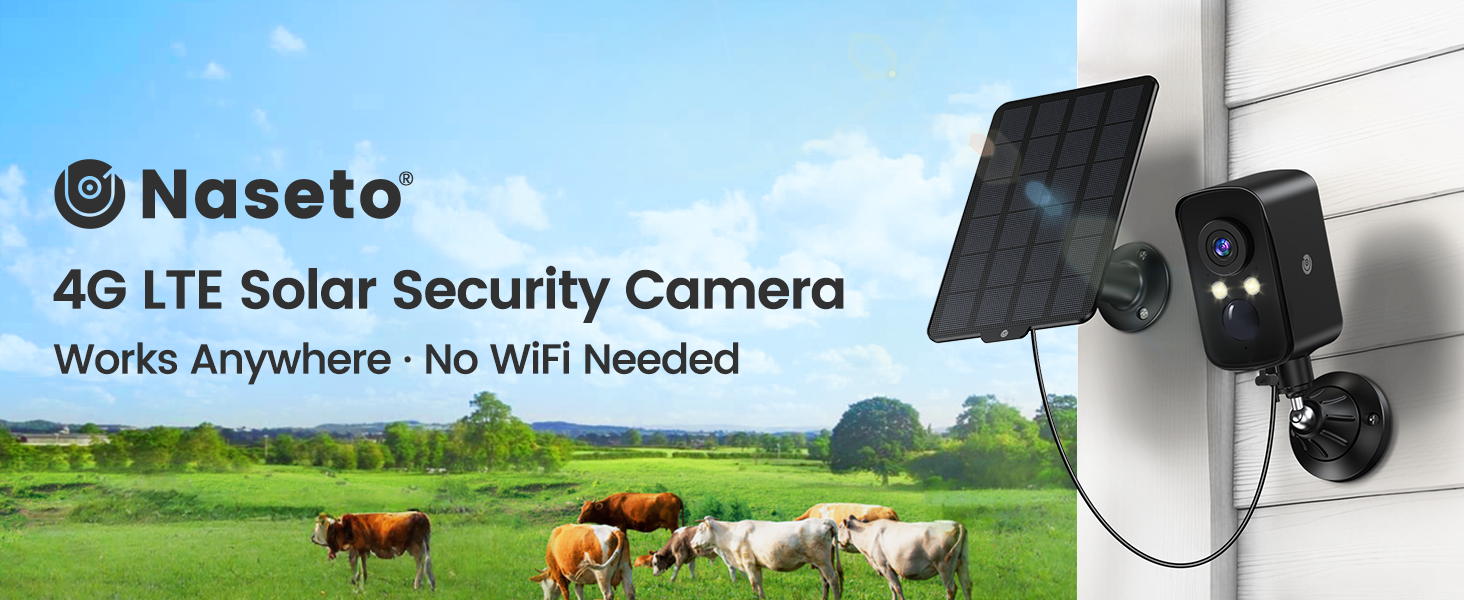
Construction projects move quickly, but permanent internet, electrical service and complete walls often arrive late. Meanwhile, valuable tools, equipment and materials may sit unattended. A cellular security camera for a construction site helps close that gap by using 4G LTE connectivity, solar-assisted battery power and app-based monitoring.
Why Traditional Cameras Often Fall Short on an Active Jobsite
A standard WiFi camera can work well at a finished home or business, but an active construction site presents a different set of conditions. The router may not be installed, outlets may be temporary, work zones may shift every week and no one may be present after crews leave.
Cellular monitoring is designed for this in-between stage. Instead of relying on a local WiFi network, the camera connects over a supported mobile network. When paired with a rechargeable battery and solar panel, it can be placed near a gate, storage container, equipment yard or unfinished structure without running new data and power cables.
Important: A cellular camera does not replace locks, lighting, fencing, access control or insurance. It adds remote visibility and event evidence to a broader construction-site security plan.
7 Practical Reasons Construction Sites Need Cellular Security
Permanent WiFi Is Often Unavailable
Many projects have no broadband connection during excavation, framing or early interior work. A 4G LTE camera communicates through cellular service, allowing remote monitoring before a router and internet account are ready.
Wired Power May Not Be Ready—or Stay On
Temporary electricity may be limited, moved or switched off after hours. A rechargeable camera with solar support can continue operating without a nearby wall outlet, provided the panel receives adequate sunlight and the battery remains charged.
Tools and Materials Remain Unattended
Portable tools, generators, copper wire, appliances, fuel and building materials can be attractive targets. Motion alerts help owners or supervisors check activity without waiting until the next morning to discover something is missing.
Security Priorities Change as Work Progresses
Today the highest-risk area may be a delivery zone; next month it may be an unfinished entrance or equipment yard. Flexible mounts and cable-free placement make it easier to reposition coverage as the project evolves.
Remote Alerts Can Prevent Unnecessary Trips
Driving to the site whenever someone reports movement wastes time. Real-time push notifications, live video and app-controlled pan let an authorized user inspect the scene first and decide whether an on-site response is needed.
Live Video Improves Delivery Coordination
Two-way audio can help a supervisor speak with a driver or visitor from another location. Live viewing also helps confirm that a delivery has arrived and identify where activity is taking place.
Recorded Events Create a Useful Timeline
Motion-triggered clips can document detected activity around entrances, tools and stored materials. Recordings may help with internal review or incident reporting, although image quality and identification always depend on placement, lighting, distance and conditions.
How the MUBVIEW G6 Addresses Common Jobsite Challenges
The MUBVIEW G6 combines cellular connectivity with a portable, solar-assisted design. It uses a pre-installed SIM and is intended for U.S. locations with supported AT&T, Verizon or T-Mobile coverage. The model is 4G LTE only and does not connect to WiFi.
| Jobsite Need | G6 Feature | Practical Benefit |
|---|---|---|
| No permanent internet | Built-in 4G LTE connection | Remote access without a local WiFi router |
| No convenient outlet | 9000 mAh battery + 5W solar panel | Solar-assisted operation with less manual charging |
| Wide or changing work zone | 300° app-controlled pan | Inspect different directions and achieve broader area coverage |
| After-hours activity | PIR + AI person detection | Focus notifications on detected human activity |
| Low-light monitoring | 2K IR and spotlight color night vision | Check activity after dark in the appropriate viewing mode |
| Visitor communication | Two-way talk + siren | Speak remotely or activate an additional deterrent |
| Temporary installation | Magnetic mount + bracket option | Set up quickly or choose a more permanent mounting method |
| Event review | SD card + rolling cloud clips | Choose local storage and access recent short cloud events |
Where a Cellular Camera Can Add the Most Value
Temporary Entrance or Gate
Monitor vehicles, workers, visitors and activity near the primary access point.
Tool and Material Storage
Watch the area around locked containers, portable tools, wire and valuable supplies.
Equipment Yard
Check activity around machinery, generators, trailers and fuel storage.
Delivery and Staging Zone
Confirm arrivals and view materials left before the responsible crew is on site.
Unfinished Building Access
Add visibility near open doorways, scaffolding access or partially enclosed areas.
Remote Lot or Project Trailer
Monitor outdoor inventory and activity near temporary office or storage spaces.
Before Installation: Five Checks That Matter More Than the Camera
1. Test Cellular Coverage at the Exact Mounting Point
Coverage near the road does not guarantee the same result beside a metal building, inside a container or behind terrain. Activate and test live view, alerts and playback where the camera will actually be installed.
2. Aim at a Defined Activity Zone
A camera positioned too far from the subject may capture movement without useful detail. Prioritize choke points such as gates, doorways and storage access rather than trying to monitor the entire site from one distant location.
3. Give the Solar Panel Direct Sunlight
Place the panel away from roof shadows, trees, scaffolding and equipment that may block sunlight as work progresses. Solar performance varies with weather, temperature, signal quality, event frequency, live-view time and settings.
4. Mount Securely and Above Easy Reach
The magnetic mount is useful on a suitable stable metal surface, but a bracket may be preferable for longer projects or locations exposed to vibration, tampering or harsh weather.
5. Tune Detection and Notifications
Avoid pointing the main detection area toward public roads, moving flags, active machinery or branches. Adjust the detection area and sensitivity so alerts remain useful rather than becoming background noise.
Know the Limits: Motion Monitoring Is Not Continuous Surveillance
The G6 is designed for motion detection, push notifications, live viewing and event recording. It is not a continuous 24/7 recording camera. This distinction matters for projects that need an uninterrupted record of all activity.
For many temporary sites, event-based monitoring offers a practical balance between mobility, battery use and remote access. A project requiring complete round-the-clock footage may be better served by a wired recorder-based system, or by using cellular cameras as supplemental coverage around selected high-risk zones.
Better protection comes from layers: Combine camera coverage with locked storage, lighting, fencing, documented inventory, controlled key access and clear procedures for responding to alerts.
Storage, Data Plans and Other Details to Review Before Buying
- Network: 4G LTE only; WiFi is not supported.
- Region: Designed for use in the United States with supported cellular coverage.
- SIM: Only the pre-installed SIM is supported; a user-supplied SIM cannot be substituted.
- Trial and plan: First activation includes a seven-day unlimited-data trial. A paid in-app cellular plan is required afterward.
- Local storage: Supports an 8GB–256GB SD card; the card is not included.
- Cloud storage: Includes lifetime access to seven-day rolling cloud storage for six-second event clips.
- Weather resistance: Rated IP65 for outdoor use.
- Recording type: Motion-triggered events rather than 24/7 continuous video.
Cellular plan prices and terms can change. Review the latest options shown in the app during activation instead of basing a long-term project budget on an older price.
Frequently Asked Questions About Cellular Jobsite Cameras
Can a construction site security camera work without WiFi?
Yes. A cellular camera communicates through a mobile network rather than a local WiFi router. It still needs reliable supported 4G LTE coverage at the installation point.
Does the MUBVIEW G6 require wired electricity?
No. It uses a rechargeable 9000 mAh battery and an included 5W solar panel. Available sunlight, cellular signal, temperature and usage all affect operating time.
Can I move the camera as the jobsite changes?
Yes. The included magnetic mount supports quick placement on a suitable stable metal surface, while the bracket provides another option for more permanent installation.
Will it alert me when a person enters the site?
The G6 combines PIR motion sensing with AI person detection and can send real-time push notifications. Detection results depend on placement, distance, angle and environmental conditions.
Can I talk to a delivery driver remotely?
Yes. Two-way audio lets an authorized user listen and speak through the mobile app when the camera is online.
Does the G6 record all day and night?
No. It records detected motion events and supports live viewing; it is not a continuous 24/7 recording system.
Can I use my own SIM or WiFi network?
No. The G6 is a 4G LTE-only camera and supports only its pre-installed SIM.
How are recordings stored?
You can use an SD card up to 256GB, sold separately. The camera also includes seven-day rolling cloud storage for six-second event clips.
Protect the Jobsite Before Permanent WiFi and Power Arrive
A changing construction site needs security that can move with the project. The MUBVIEW G6 cellular security camera combines 4G LTE connectivity, solar-assisted battery power, 2K day-and-night viewing, AI person detection, app-controlled pan, two-way talk and flexible storage for practical remote jobsite monitoring.
See the MUBVIEW G6